
Freija
Forum Wench
- Joined
- May 20, 2026
- Messages
- 123
- Reaction score
- 206
(note: I received an error when trying to post this in another forum so I'm posting it in the testing forum then moving it - first error of any kind I've seen)
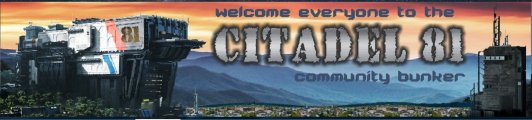
Producing a nice banner here is tricky even with the help of A.I. which can only get you so far. The problem is with the limited choices of aspect ratios you can use when making an AI image. All the ones it makes are too tall and not wide enough.
I took out the annual entry level plan at this place. It gives you access to all the major image creation tools and even has a helper for your prompts.

 openart.ai
Even using Google's newest and best, Nano Banana Pro, which offers more choices than others, options for image size are still limited. We end up with a picture that doesn't fit in the space we need.

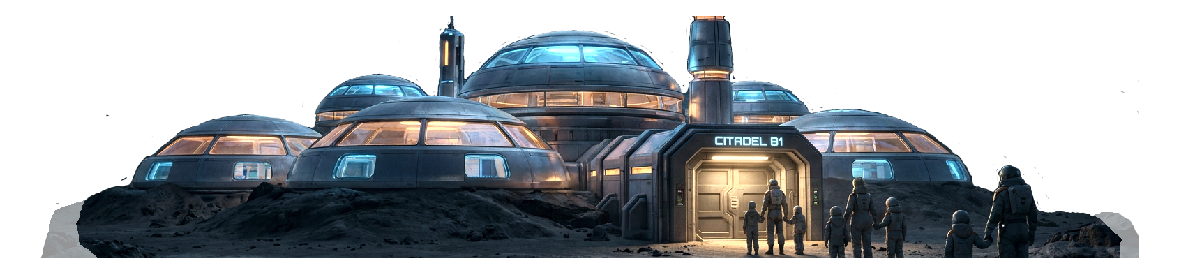
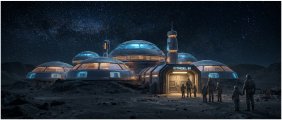
Original image created by A.I. Size reduced for posting. Original size 1584 x 672px It took six tries and five rejects to get one I could use. Each one uses the points you are given for the month.
Now I've created maybe 75 banners at RN but they are just static rectangles so I wanted to do something more dynamic here because the software allows it.
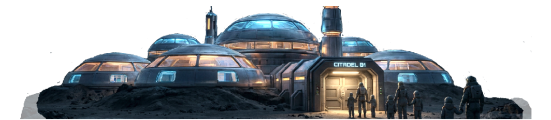
So the AI image needs to be cropped and modified. In the sample edited image below the sky has also been removed and some of the terrain taken out. The actual image in use has a transparent background so what is behind it will show through. The white box is just shown here to show what's in the actual banner or what is called the logo by the software.
So with the main logo image fiddled with half a dozen times or more, I created an image to use for the entire header area with a starry sky and hills that would fill both ends of the logo and be the background for the entire header area. Getting the hills lined up approximately with those in the logo image took several tries before it worked

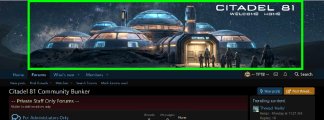
When the logo image is added on top of the header background, which is on two different settings pages in the control panel, what you see is at the top of the forums.
The neat thing is the logo image will always be the width of the forums whether you zoom in or zoom out.
Green outline shows the "logo"
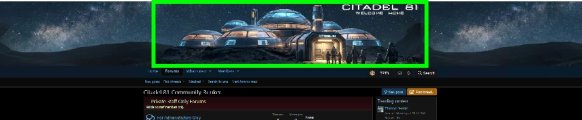
Even when you zoom out, the logo stays the forums width and the header background expands. The background also wraps in this condition so I'll be playing around to figure out what actual size it needs to be so it doesn't wrap. I just guessed.
I think that's pretty neat. All told, it took about 3 hours to make all the images, to test them at the test site and revise as needed and test again. I've got a couple more in the works but I won't be changing things out more than weekly if not bi-weekly.
Producing a nice banner here is tricky even with the help of A.I. which can only get you so far. The problem is with the limited choices of aspect ratios you can use when making an AI image. All the ones it makes are too tall and not wide enough.
I took out the annual entry level plan at this place. It gives you access to all the major image creation tools and even has a helper for your prompts.
AI Creator Studio for Video & Images | OpenArt
OpenArt Suite is your all-in-one AI creator studio. Create images, videos, characters, and audio in one place. Keep your characters, worlds, and style consistent across creations. Powered by the world’s top models like Google Veo, Kling, Nano Banana Pro, Seedance, and more.
Even using Google's newest and best, Nano Banana Pro, which offers more choices than others, options for image size are still limited. We end up with a picture that doesn't fit in the space we need.
Original image created by A.I. Size reduced for posting. Original size 1584 x 672px It took six tries and five rejects to get one I could use. Each one uses the points you are given for the month.
Now I've created maybe 75 banners at RN but they are just static rectangles so I wanted to do something more dynamic here because the software allows it.
So the AI image needs to be cropped and modified. In the sample edited image below the sky has also been removed and some of the terrain taken out. The actual image in use has a transparent background so what is behind it will show through. The white box is just shown here to show what's in the actual banner or what is called the logo by the software.
So with the main logo image fiddled with half a dozen times or more, I created an image to use for the entire header area with a starry sky and hills that would fill both ends of the logo and be the background for the entire header area. Getting the hills lined up approximately with those in the logo image took several tries before it worked
When the logo image is added on top of the header background, which is on two different settings pages in the control panel, what you see is at the top of the forums.
The neat thing is the logo image will always be the width of the forums whether you zoom in or zoom out.
Green outline shows the "logo"
Even when you zoom out, the logo stays the forums width and the header background expands. The background also wraps in this condition so I'll be playing around to figure out what actual size it needs to be so it doesn't wrap. I just guessed.
I think that's pretty neat. All told, it took about 3 hours to make all the images, to test them at the test site and revise as needed and test again. I've got a couple more in the works but I won't be changing things out more than weekly if not bi-weekly.